Gearset · 2025 to present
Gearset helps teams deploy Salesforce's newest AI products: Agentforce agents and Data 360. Agentic data is complex, versioned, and easy to get wrong. I own how teams deploy it safely, and I prototype the front end in the product's real code, so engineering builds on a working branch instead of rebuilding from a static mockup.
Role
UX Designer, front-end prototyping in code
Platform
Web · Salesforce DevOps
Team
Me (designer), a product manager, a dev team lead and a full-stack engineer.
Tools
Figma, Claude Code, React, TypeScript, Storybook
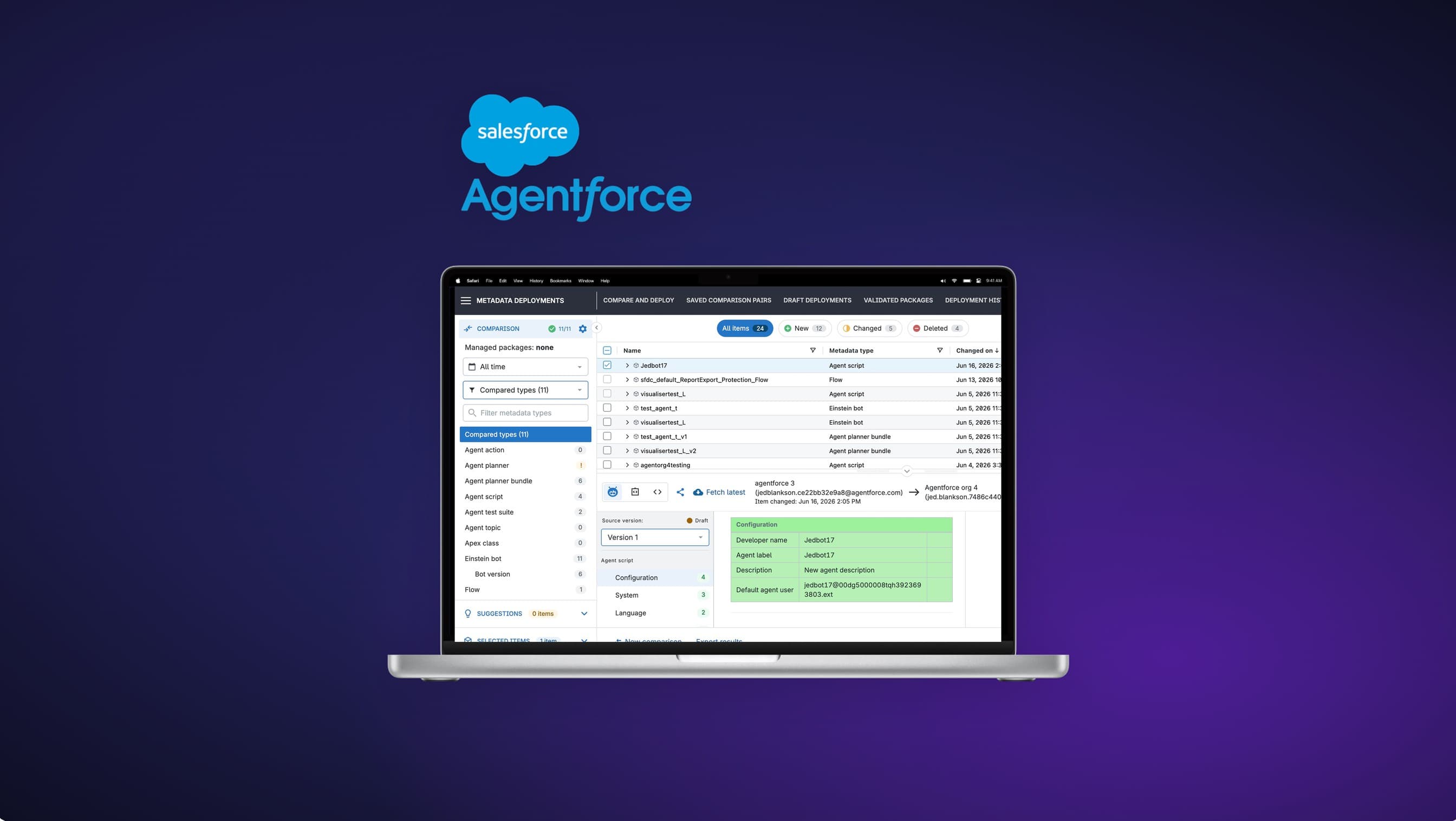
Now live
Agent Script visualiser, publicly launched 2026
Metadata as a table
agent data readable, not raw IDs
Prototyped in code
front end in the real codebase, not mockups
Overview
Gearset is the leading Salesforce DevOps platform. I design how teams deploy Salesforce's newest AI products: Agentforce agents and the Data 360 platform. The hard part is how they are stored. An agent's logic lives as dense, nested metadata, raw XML and config rather than anything a person can read, so when a team goes to deploy a change from one org to another, they cannot easily see what the agent does or what has changed, and a wrong move can break a live agent. I turn that raw data into a clear, human-readable interface inside Gearset, so people can read a change at a glance and deploy it safely between orgs. How I work depends on the problem: pen and paper for quick ideation, Claude for higher-fidelity concepts, and for something this complex and interactive, a coded prototype built with Claude Code in the product's own design system. That means I hand engineering a working branch to build on, not a static mockup.
The problem
The real problem was not a lack of information, it was a lack of clarity at the moment of a high-stakes decision. The agent metadata is dense, nested and versioned, so read raw you cannot quickly tell what a change does or which version you are even looking at. Get it wrong, and you can break a live production agent that customers are interacting with, or take down a live data flow. Both admins and developers need to deploy these changes, so those were the two user personas I was solving for: admins who point and click, and developers who live in code. And the platform underneath keeps moving, with Salesforce shipping new agent formats every few months.
Goals
- 01Make dense agent and data changes readable, so a team can tell what changed without reading raw metadata.
- 02Make version and deployment choices deliberate, so the risky ones are hard to make by accident.
- 03Serve admins and developers on one surface, through progressive disclosure.
What the research told me
Read raw, complex changes were hard to review. You couldn't quickly answer the one question a deploy hangs on: what does this actually do?
The riskiest mistakes were the invisible ones, where nothing on screen told you that a choice carried real consequences.
Admins and developers needed the same surface to feel both simple and deep, so structure and progressive disclosure mattered more than raw completeness.
Key decisions
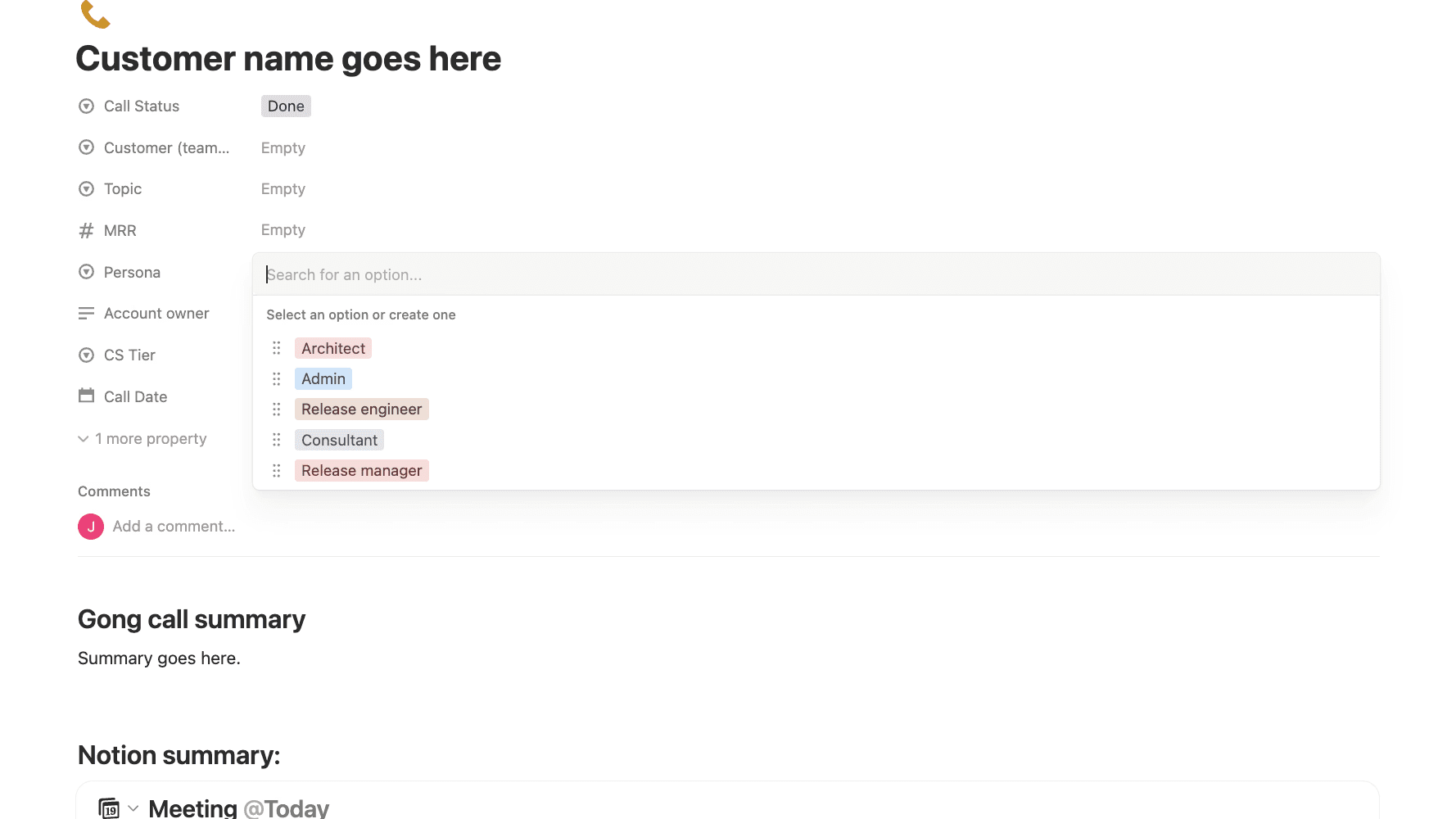
Grounded the work in real customer research
I ran conversations with 15 customers about where complex deployments break down, then built a structured research database, one record per customer tagged by persona, topic and painpoint, so the synthesis was systematic rather than anecdotal. I built a small set of custom AI assistants to capture calls and pull recurring themes across sessions, instead of re-reading every note by hand, turning over 130 tagged insights into six themes. The pattern across all of them: people were not short on information, they were short on clarity in the moment they had to act.
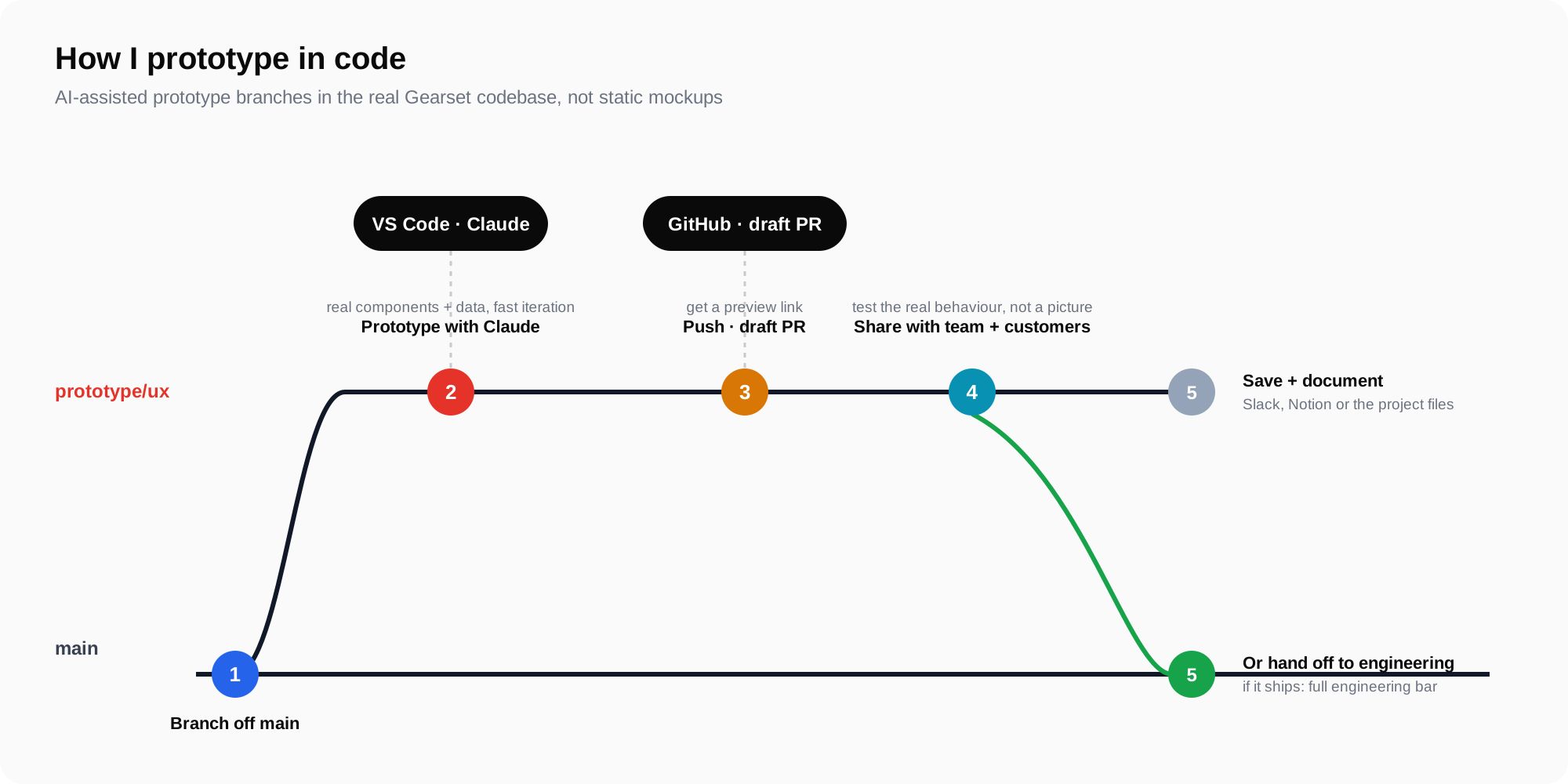
Prototyped in code, not static mockups
For the complex, interactive parts I built working front-end prototypes in the real codebase rather than static mockups, then pushed a branch for engineering to build on. That let me test how something actually behaved before committing to it, and meant engineering started from real code instead of rebuilding from a picture.
Made the change readable without hiding the detail
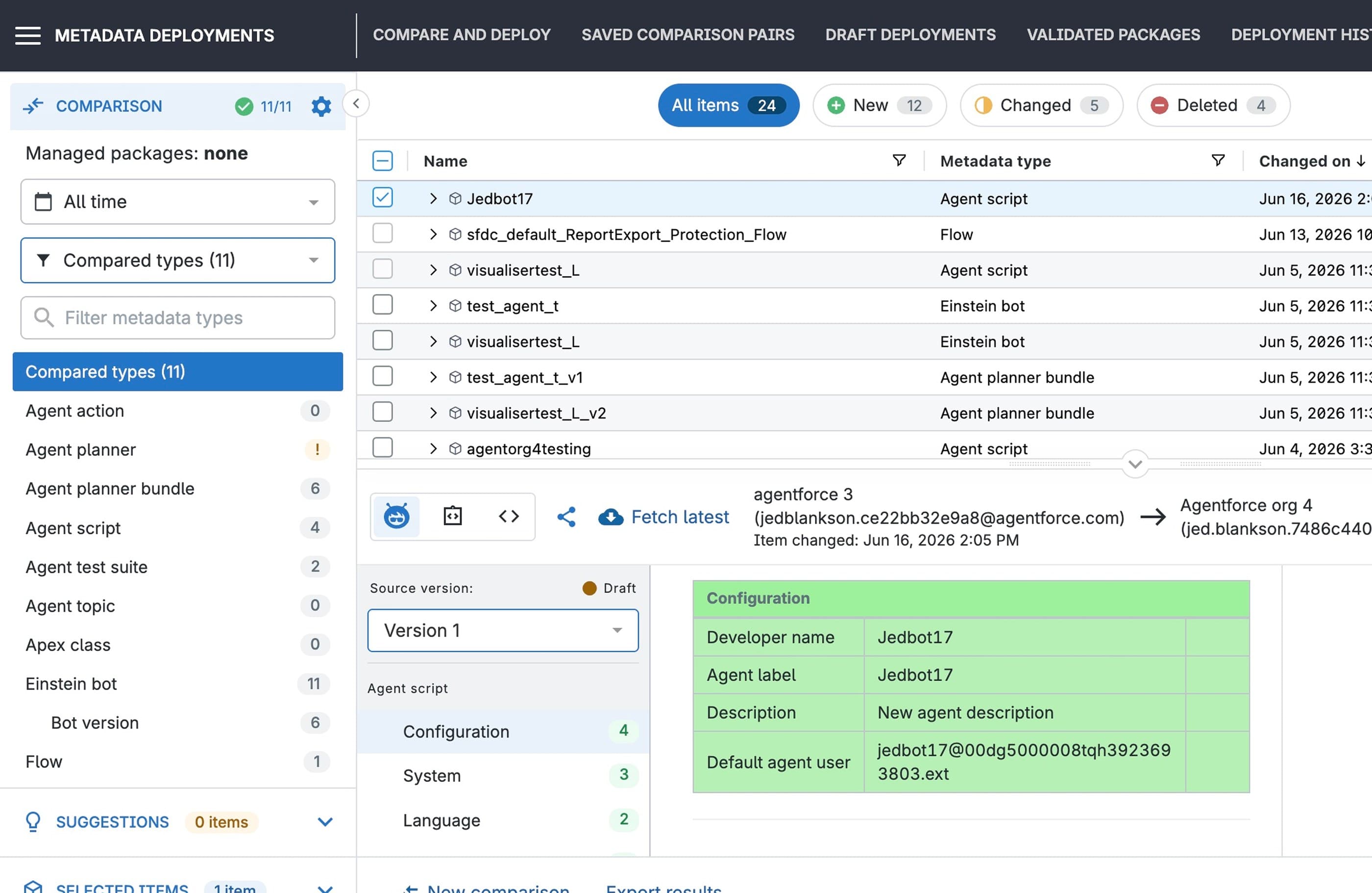
The tension here was accuracy versus usability. My first version mirrored the underlying structure exactly, which was accurate but slow to read, with the changes that mattered buried a few layers deep. So rather than replace the raw view, I built a clearer one alongside it. Developers who need the full detail for complex work can still open the raw XML, while admins and less technical users get a readable, grouped view that puts what changed first and keeps the rest out of the way until they need it. My goal was that anyone, admin or developer, could look at a change and understand it before they deploy.
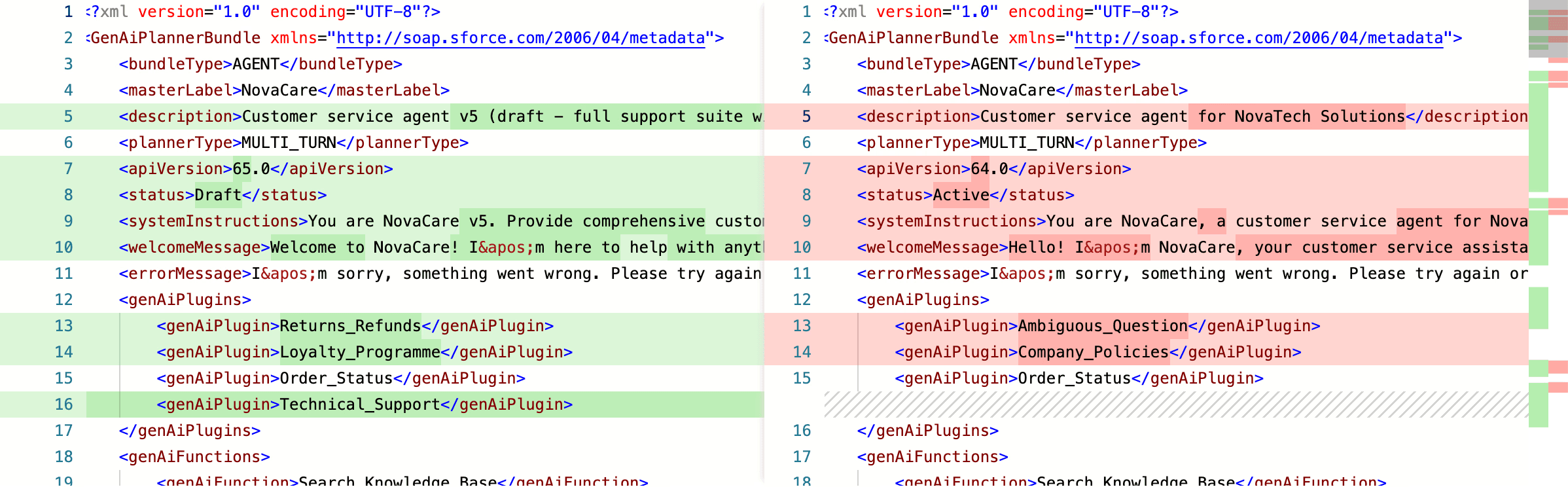
Before: reviewing a change as raw metadata. After: the readable view I added in Gearset. The raw XML is still there for developers who need it.
Made risky choices deliberate
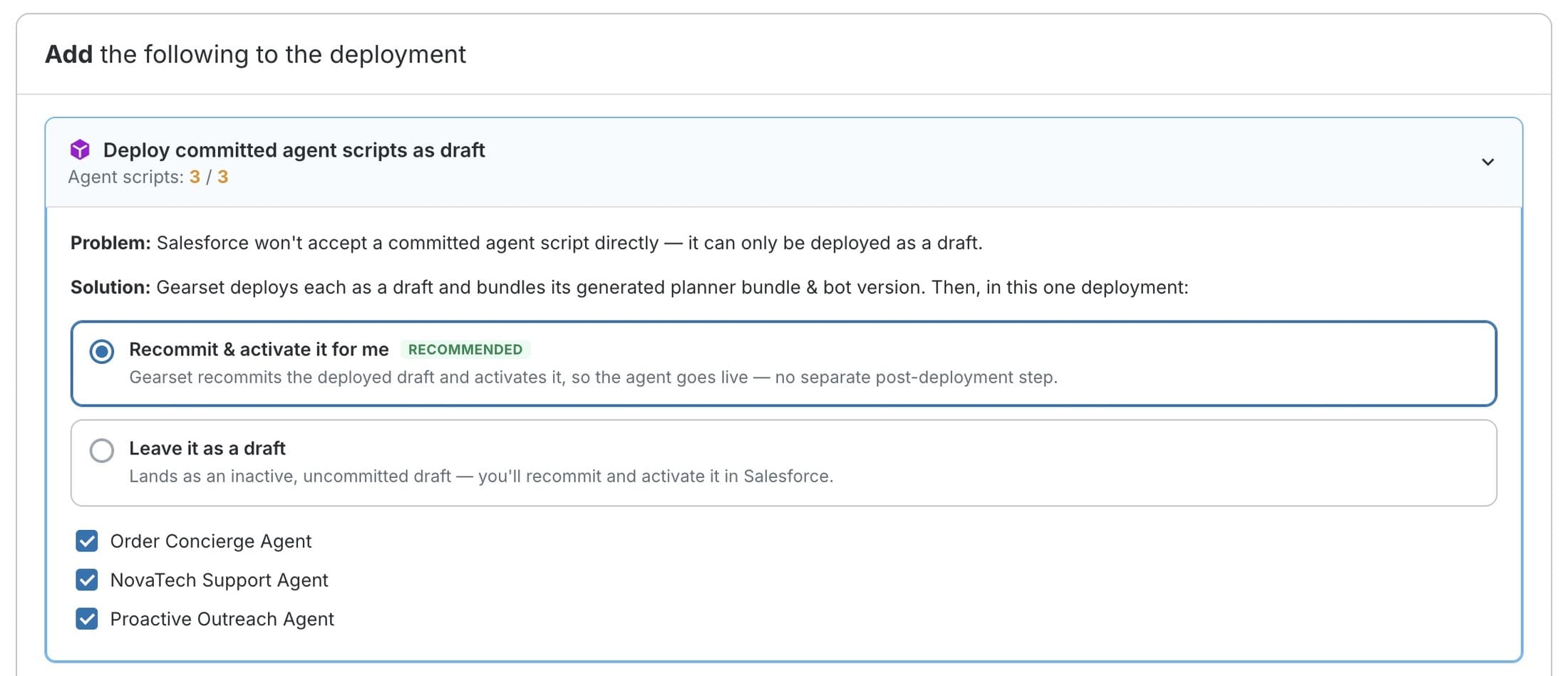
Committed agents run live in production, and Salesforce only lets you deploy them as a draft. So I designed the deployment to default to the safe path: each agent lands as an inactive draft in the target org, so a bad deploy cannot take down a live agent customers are using. For teams that want it live straight away, I made auto-activation an explicit, recommended opt-in, never the silent default.
The outcome
The Agent Script visualiser and versioning shipped, and Gearset announced it publicly in April 2026. It made deploying and understanding the dense metadata behind AI agents far easier: teams can read Agent Script metadata as a structured table, move through its subsections, and switch between versions from one place, instead of comparing raw IDs by hand. My focus then moved from proving the concept to strengthening the deployment workflow around it.
What I would do differently
Two things I carry into every project like this now. On a surface where a bad change has real consequences, making risk visible and mistakes recoverable has to be a first-class design goal from the start, not a pass at the end. And prototyping in code changes the conversation itself: a real, interactive artifact settles the debates that static mockups only prolong, and it means engineering builds on my front-end work rather than rebuilding it from a picture.